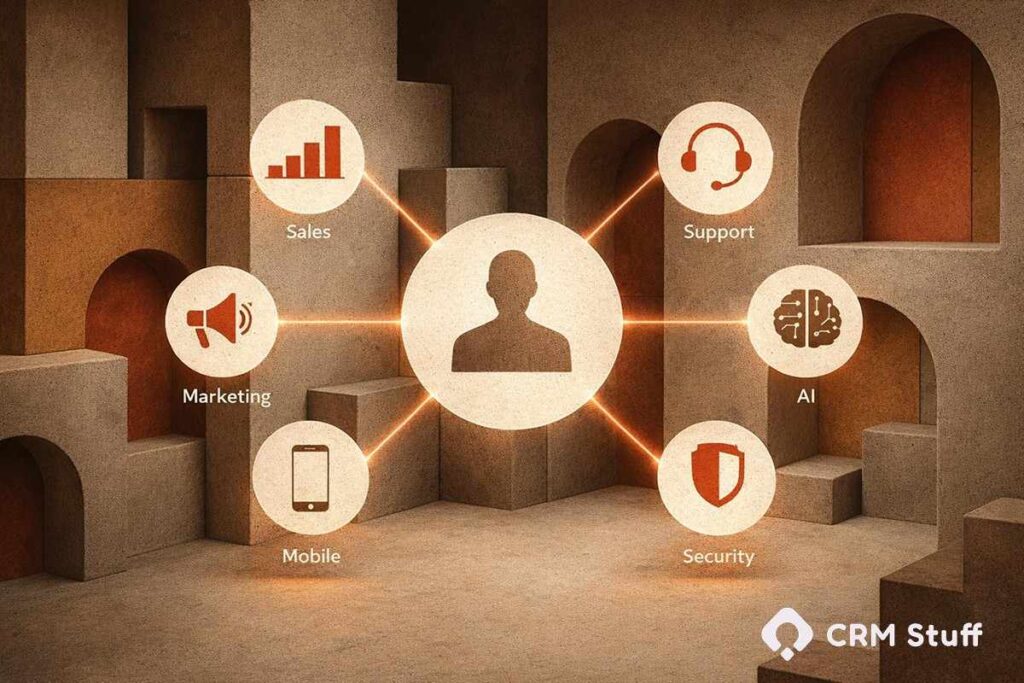
Microsoft Dynamics CRM has changed dramatically in the last few years—and 2026 is shaping up to be a turning point. Many businesses are still using Dynamics 365 the way they did back in 2022 or 2023, unaware that the platform has quietly evolved with deeper AI, smarter automation, and tighter Microsoft ecosystem integration. The result? Missed efficiency, lower user adoption, and CRM systems that feel more like data storage tools than growth engines.
Staying updated with Microsoft Dynamics CRM trends is no longer optional. As customer expectations rise and competition tightens, the way you use Microsoft Dynamics 365 CRM directly impacts sales velocity, service quality, and decision-making speed. Microsoft is investing heavily in AI-first CRM experiences, low-code extensibility, and unified data and organizations that don’t keep up risk falling behind.
In this guide, we’ll break down the latest Microsoft Dynamics CRM trends in 2026, explain what’s actually changing under the hood, and show how these shifts affect real-world CRM strategy not just features on a roadmap.
Microsoft Dynamics CRM trends in 2026 focus on AI-driven insights, advanced automation, low-code customization, and unified customer data. With deeper integration across Microsoft Dynamics 365, Teams, and Azure, businesses can predict customer behavior, automate workflows, and deliver personalized experiences at scale while maintaining security and compliance.
Trend #1: Artificial Intelligence & Machine Learning in Microsoft Dynamics CRM
Artificial intelligence is no longer an add-on in Microsoft Dynamics CRM—in 2026, it sits at the core of how the platform works. Microsoft has moved beyond basic automation to embed machine learning models directly into Dynamics 365 CRM, helping users make decisions instead of just recording data. Sales, service, and marketing teams now rely on AI-driven insights to understand what is likely to happen next, not just what already happened.
One of the biggest shifts is how predictive intelligence is used. Microsoft Dynamics 365 can analyze historical customer interactions, deal progress, and engagement patterns to forecast outcomes with far greater accuracy. This means sales teams using MS Dynamics CRM can prioritize high-conversion opportunities, while service teams can anticipate customer issues before they escalate. The CRM becomes proactive rather than reactive.
AI is also improving day-to-day usability. Instead of manually digging through records, users can receive automated recommendations, suggested next actions, and summarized insights. These features reduce cognitive load and make Microsoft CRM easier to adopt across teams.
Key AI-driven capabilities shaping CRM 365 in 2026 include:
- Predictive lead and opportunity scoring
- AI-generated sales and service insights
- Automated next-best-action recommendations
- Intelligent forecasting based on real usage data
These advancements are redefining what organizations expect from MS Dynamics 365, turning the CRM into a decision-support system rather than just a database.
Trend #2: Low-Code / No-Code Development in Dynamics 365
Low-code and no-code development has become one of the most practical shifts in Microsoft Dynamics CRM by 2026. Businesses no longer want to wait months for customizations or depend entirely on developers for every small change. With Dynamics 365 and the Microsoft Power Platform, teams can now build, modify, and extend CRM functionality much faster, using visual tools instead of heavy code.
This trend is especially important for growing organizations. Sales operations, customer service managers, and CRM admins can create custom workflows, forms, and apps directly inside Microsoft Dynamics 365 CRM. It reduces development bottlenecks and allows CRM systems to evolve alongside business needs. For companies using MS Dynamics CRM, this flexibility often leads to higher user adoption because the system actually matches how teams work.
Low-code tools also make experimentation safer. Instead of large, risky CRM changes, teams can test ideas quickly, refine them, and scale what works. If you want a deeper understanding of how this works in practice, this guide on what low-code means in the Microsoft Power Platform explains the foundation behind these capabilities:
In 2026, low-code capabilities in Microsoft Dynamics commonly support:
- Custom Power Apps built on CRM data
- Automated workflows using Power Automate
- Faster deployment of role-specific CRM solutions
- Reduced dependency on full-scale custom development
This shift is making CRM 365 more adaptable, cost-efficient, and aligned with real business processes.
Trend #3: Deeper Integration with Microsoft Teams & Collaboration Tools
In 2026, collaboration is no longer separate from Microsoft Dynamics CRM it happens inside it. Microsoft has tightened the connection between Dynamics 365 and Microsoft Teams, allowing users to work on deals, cases, and customer conversations without constantly switching tools. This integration is changing how teams communicate, make decisions, and act on CRM data in real time.
For sales and service teams using Microsoft Dynamics 365 CRM, this means conversations are now directly tied to records. A Teams chat can be linked to an opportunity, a customer account, or a support case, keeping context intact. Instead of information being scattered across emails and messages, everything lives within the CRM timeline. This improves visibility and reduces the risk of miscommunication.
Another important shift is how CRM insights surface inside Teams. Users can view dashboards, update records, and receive notifications without opening MS Dynamics CRM separately. This reduces friction and encourages consistent CRM usage, especially for frontline teams who live in collaboration tools all day.
In practical terms, this integration supports:
- Embedded CRM records and dashboards inside Teams
- Contextual conversations linked to accounts and opportunities
- Faster approvals and decision-making workflows
- Improved collaboration between sales, service, and leadership
By blending collaboration with Microsoft CRM, organizations are seeing higher productivity and better alignment across teams.
Trend #4: Unified Data & Customer 360 View in Microsoft Dynamics CRM
One of the most important CRM trends in 2026 is the push toward a true Customer 360 view. Many organizations using Microsoft Dynamics CRM still struggle with fragmented data—sales data in one place, service history in another, and marketing insights somewhere else entirely. Microsoft is addressing this by making unified data a core capability of Dynamics 365 rather than an optional enhancement.
With tighter integration across Microsoft Dynamics 365 CRM, Dataverse, and connected systems, customer information now updates in real time. This allows teams to see a complete picture of customer behavior, preferences, and history in one place. For example, a sales rep using MS Dynamics 365 can instantly see recent support tickets, past purchases, and engagement activity before reaching out, leading to more informed and relevant conversations.
Unified data also improves analytics and AI accuracy. Predictive models rely on clean, connected information, and a centralized customer profile helps Microsoft CRM generate more reliable insights. Instead of reacting to isolated data points, teams can spot patterns and trends that reflect the full customer journey. Microsoft is addressing this by making unified data a core capability of Dynamics 365 rather than an optional enhancement, supported by tools like the Microsoft Customer Data Platform and unified customer profiles, which enable organizations to connect and understand customer data across systems.
In 2026, Customer 360 capabilities typically include:
- Real-time data syncing across Dynamics modules
- Centralized customer profiles in Dataverse
- Cross-team visibility into sales, service, and marketing activity
- Better analytics powered by unified datasets
This shift is turning Microsoft Dynamics into a single source of truth, enabling smarter decisions across the organization.
Trend #5: Enhanced Automation & Workflow in Dynamics 365
Automation in Microsoft Dynamics CRM has matured significantly by 2026. What once focused on simple task creation and email triggers has evolved into intelligent, end-to-end workflow automation. Organizations using Dynamics 365 are now automating complex business processes across sales, service, and operations, reducing manual effort while improving consistency and speed.
Modern workflows in Microsoft Dynamics 365 CRM are no longer rigid. They adapt based on data, user actions, and AI-driven conditions. For example, lead scoring can automatically adjust based on engagement behavior, while follow-up activities trigger only when specific criteria are met. This level of automation helps teams focus on high-value work instead of repetitive CRM tasks.
Another important change is how accessible automation has become. CRM admins and power users can design workflows without deep technical knowledge, while still maintaining governance and control. If you want a deeper look at how this works in practice, this detailed guide on Dynamics 365 workflow automation explains how organizations are building smarter, scalable processes:
In 2026, enhanced automation in MS Dynamics CRM commonly supports:
- Automated lead qualification and scoring
- Smart follow-ups based on customer behavior
- Workflow-driven approvals and escalations
- Reduced manual data entry across CRM 365
These improvements are turning Microsoft CRM into an operational backbone rather than just a tracking system.
Trend #6: Security & Compliance in Microsoft Dynamics CRM (Especially for Global Markets)
As CRM systems store more customer data than ever, security and compliance have become top priorities in Microsoft Dynamics CRM by 2026. Organizations operating across regions now face stricter regulations, higher customer expectations, and greater accountability for how data is stored and accessed. Microsoft has responded by strengthening security controls across Dynamics 365, making protection a built-in capability rather than an afterthought.
Microsoft Dynamics 365 CRM now supports advanced identity management, role-based access, and multi-factor authentication as standard practices. These features ensure that users only see the data relevant to their role, reducing internal risk while improving trust. For global businesses using MS Dynamics CRM, compliance with regulations like GDPR and CCPA is easier to manage through centralized policies and audit trails.
Security has also become more transparent. Admins can monitor access patterns, detect anomalies, and respond quickly to potential threats. If you want a deeper understanding of how organizations are strengthening trust through CRM, this guide on building security and compliance in Dynamics 365 CRM explains the practical steps involved:
In 2026, security and compliance capabilities in Microsoft CRM commonly include:
- Built-in GDPR and CCPA compliance tools
- Multi-factor authentication and identity protection
- Role-based data access and permissions
- Continuous monitoring and audit logging
These improvements are helping Microsoft Dynamics support global growth without compromising data integrity or customer trust.
Trend #7: AI Chatbots & Conversational Interfaces in Dynamics 365
AI-powered chatbots have moved well beyond basic scripted responses in Microsoft Dynamics CRM. By 2026, conversational interfaces are becoming a natural extension of how customers and internal teams interact with Dynamics 365. These bots are now context-aware, data-driven, and tightly integrated with CRM records, allowing conversations to feel more human and relevant.
For customer service teams using Microsoft Dynamics 365 CRM, AI chatbots can handle common requests, gather information, and route issues to the right agent without friction. Because the bots have access to unified customer data, they understand previous interactions, open cases, and purchase history. This reduces resolution time and improves the overall service experience. Internally, sales and support teams can also use conversational tools to retrieve CRM data or update records using natural language.
Another major shift is how conversational AI learns over time. With built-in machine learning, chatbots in MS Dynamics 365 improve accuracy as they handle more interactions. They adapt to customer behavior instead of relying on static flows, making them far more effective than earlier generations of CRM bots.Modern AI assistants can detect frustration, urgency, or satisfaction during conversations and adjust responses accordingly. This leads to more empathetic customer interactions and better service outcomes. For a deeper look at how AI and chatbots are shaping CRM experiences, this article on Dynamics CRM AI chatbots and sentiment trends provides valuable context:
In 2026, conversational CRM capabilities typically include:
- AI-driven customer support chatbots
- Contextual conversations based on CRM data
- Intelligent routing to sales or service teams
- Natural language interaction for internal users
These interfaces are making Microsoft CRM more accessible, responsive, and aligned with how people actually communicate.
Trend #8: Predictive Customer Service in Microsoft Dynamics CRM
Customer service in Microsoft Dynamics CRM is becoming predictive rather than reactive. In 2026, organizations are using AI and data intelligence within Dynamics 365 to identify potential issues before customers raise a ticket. This shift is changing service teams from problem-solvers into experience managers.
Predictive customer service works by analyzing historical cases, usage patterns, and engagement signals across Microsoft Dynamics 365 CRM. The system can detect early warning signs, such as repeated product issues or declining engagement, and trigger proactive actions. For example, MS Dynamics CRM can automatically create service tasks, suggest outreach, or prioritize high-risk accounts before dissatisfaction grows.
Another key improvement is intelligent case routing. Instead of assigning tickets manually or through static rules, Microsoft CRM now uses predictive models to match cases with the best-suited agent based on expertise, workload, and urgency. This reduces resolution time and improves first-contact resolution rates.
In 2026, predictive service capabilities in CRM 365 typically support:
- Proactive issue detection and alerts
- AI-driven case prioritization and routing
- Service recommendations based on customer history
- Reduced customer churn through early intervention
These capabilities are helping organizations deliver faster, more personalized support while lowering operational costs.
Trend #9: Cloud-First & SaaS CRM with Microsoft Dynamics 365
By 2026, Microsoft Dynamics CRM has fully embraced a cloud-first approach. Organizations are moving away from legacy, on-premise CRM systems in favor of Dynamics 365 as a scalable, SaaS-based platform. This shift is driven by the need for flexibility, faster updates, and the ability to support distributed teams without infrastructure limitations.
A cloud-first Microsoft Dynamics 365 CRM environment allows businesses to scale usage up or down based on demand. Updates, security patches, and new features are delivered automatically, reducing maintenance overhead. For companies using MS Dynamics 365, this means access to the latest CRM innovations without lengthy upgrade cycles or system downtime.
Cloud-native architecture also improves performance and reliability. With deep integration into Azure, Microsoft CRM benefits from high availability, built-in disaster recovery, and global data centers. This is especially valuable for organizations operating across regions, where uptime and performance consistency directly affect customer experience.
In 2026, cloud-first CRM advantages typically include:
- Automatic updates and feature releases
- High availability and disaster recovery via Azure
- Easy scalability for growing teams
- Lower infrastructure and maintenance costs
This SaaS-first model is making Microsoft Dynamics more resilient, future-ready, and accessible for modern businesses.
Trend #10: Custom Mobile CRM Apps in Microsoft Dynamics 365
Mobile CRM is no longer a secondary experience in Microsoft Dynamics CRM. By 2026, organizations expect full functionality on mobile devices, especially for sales reps, field service teams, and managers who work outside the office. Microsoft supports this shift through enhanced Dynamics 365 mobile app capabilities and customization, allowing businesses to tailor mobile CRM experiences by role and workflow.
Instead of forcing users into one generic mobile interface, MS Dynamics 365 allows businesses to design mobile experiences around how teams actually work. A field sales rep might see quick access to leads, meetings, and notes, while a service technician focuses on cases, work orders, and customer history. This role-based approach improves usability and increases CRM adoption across mobile-first teams.
Another important development is offline capability. Custom mobile apps built on Microsoft Dynamics 365 CRM can now function with limited or no connectivity, syncing data automatically when a connection is restored. This is critical for industries where reliable internet access isn’t guaranteed.
In 2026, custom mobile CRM apps typically support:
- Role-specific mobile interfaces
- Offline access with automatic data sync
- Faster data entry through simplified forms
- Improved adoption for remote and field teams
These mobile advancements ensure Microsoft CRM remains effective wherever work happens.
Conclusion
Microsoft Dynamics CRM in 2026 is no longer just a system for managing contacts and tracking deals. With AI-driven intelligence, deeper automation, unified data, and cloud-first architecture, Dynamics 365 has evolved into a strategic platform that actively shapes how organizations sell, serve, and scale. Businesses that treat CRM as a living system one that adapts to users, customers, and data are seeing stronger adoption and better outcomes.
What stands out most is how connected everything has become. From predictive insights and conversational AI to mobile-first experiences and built-in security, Microsoft Dynamics 365 CRM is designed to reduce friction and improve decision-making at every level. These trends are not future concepts; they are already influencing how modern CRM environments operate.
If you want to stay ahead of these changes and understand how Dynamics really works beyond the basics, CRM Stuff exists to break down Microsoft Dynamics trends, features, and real-world use cases without the noise.
FAQs
1. What is Microsoft Dynamics CRM used for in 2026?
Microsoft Dynamics CRM is used to manage sales, customer service, marketing, and customer data with AI-driven insights, automation, and unified customer profiles across Dynamics 365.
2. How is Microsoft Dynamics 365 CRM different from older Microsoft CRM versions?
Microsoft Dynamics 365 CRM is cloud-first, AI-powered, and deeply integrated with Microsoft tools like Teams, Azure, and the Power Platform, unlike older on-premise Microsoft CRM systems.
3. Is Microsoft Dynamics CRM suitable for small and mid-sized businesses?
Yes, Microsoft Dynamics CRM scales well for small and mid-sized businesses because it offers modular apps, low-code customization, and SaaS-based pricing in Dynamics 365.
4. What are the biggest CRM trends affecting Dynamics 365 in 2026?
The biggest trends include AI and machine learning, advanced workflow automation, unified customer data, predictive customer service, mobile CRM apps, and stronger security and compliance.
5. Can Microsoft Dynamics 365 CRM be customized without coding?
Yes, Microsoft Dynamics 365 CRM supports low-code and no-code customization using the Power Platform, allowing teams to build apps, workflows, and integrations without heavy development.